
Share via Email
This article explains the common troubleshooting steps for issues related to not receiving a one-time Pin (OTP) via SMS from The Messaging Company.
How to check if:
The Messaging Company phone number is blocked
SMS or text messages are being marked as spam
How to check blocked contacts/numbers on mobile phones
iPhone
- Open the Settings app
-
Scroll down and select Privacy and Security
-
Select Blocked Contacts
-
Select Unknown
- Select our trusted phone number from the list of blocked contacts
- Trusted phone numbers
- MessagingCo
- +61426309592
- +61429157133
- +61483967426
- +61483987716
- +16282622511
- +441923750077
- +447456431433
- Trusted phone numbers
- Select Unblock Contact
- Our SMS now appears in your conversation list
Android
- Open the Google Messages app
- Tap on your Profile photo or Icon
-
Select Spam & Blocked
- Select the SMS or text message (trusted phone number) from the list of blocked messages
- Trusted phone numbers
- MessagingCo
- +61426309592
- +61429157133
- +61483967426
- +61483987716
- +16282622511
- +441923750077
- +447456431433
- Trusted phone numbers
- Select Unblock
- Our SMS now appears in your conversation list
How to check spam text messages/SMS on mobile phones
iPhone
-
Open the Messages app
-
Select the Filter at the top right of the conversation list, then select Spam
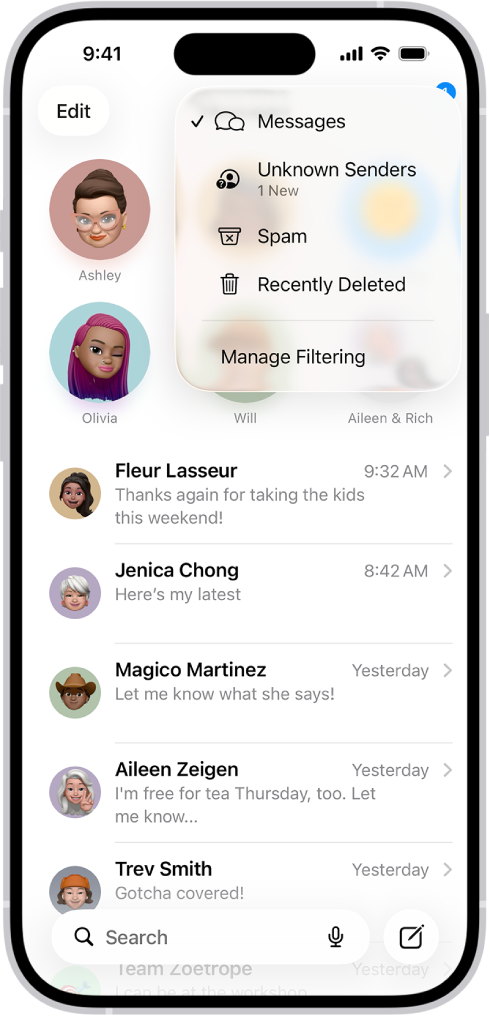
- Text messages that are classified as spam will show up
- Select the SMS or text messages from The Messaging Company, then tap Not Spam
- Our SMS now appears in your conversation list
Android
- Open the Google Messages app
- Tap on your Profile photo or Icon
-
Then select Spam & Blocked
- Select the SMS or text messages from The Messaging Company, then tap Not Spam
- Our SMS now appears in your conversation list