
Share via Email
This article provides instruction on how to check SMS that was classified as spam in your mobile phone.
Select the type of phone you're using:
iPhone
-
On your iPhone, open the Messages app
-
Select the Filter at the top right of the conversation list, then select Spam
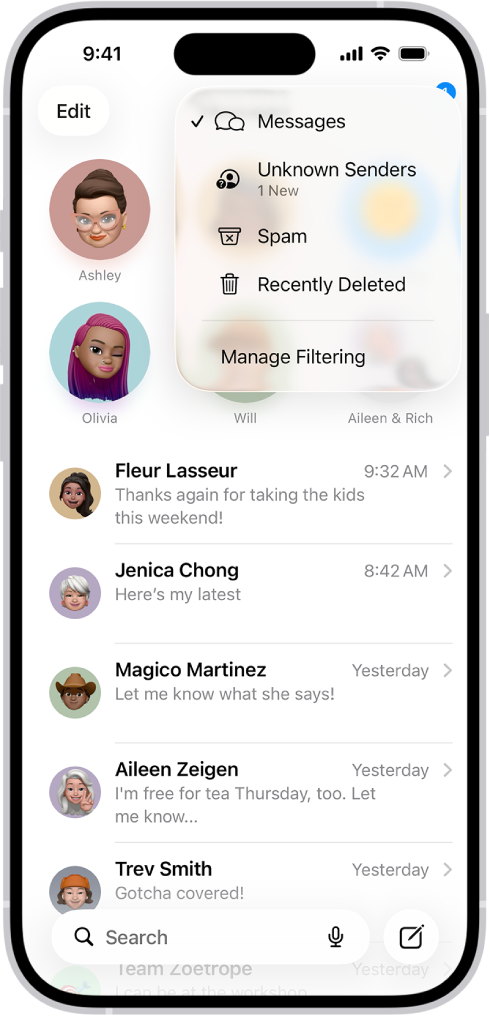
- Text messages that are classified as spam will show up
- Select the SMS or text messages from The Messaging Company, then tap Not Spam
- Our SMS now appears in your conversation list
Android
- On your Android phone, open the Google Messages app
- Tap on your Profile photo or Icon
-
Then select Spam & Blocked
- Select the SMS or text messages from The Messaging Company, then tap Not Spam
- Our SMS now appears in your conversation list